





Upgrade to the new

the easy way.

0 fees. 0 interest. More time to pay.

Approval is subject to credit evaluation. Offer available to select users under Maya Suki Credit for a limited period. More offers coming soon under Mini Payments. Maya Bank, Inc. is regulated by the Bangko Sentral ng Pilipinas. www.bsp.gov.ph. For 24/7 assistance, visit the Help Center in the Maya app or call us from 8 AM to 7 PM daily at +632 8845-7788.

Pay in affordable 3, 6,
or 9 monthly payments

Easy payments for your new phone
through Maya Suki Credit

Zero downpayment.
Zero fees. Zero interest.

Get your new phone today

 at no hidden costs

No documents.
No calls. No hassle.

Enjoy fast, seamless approval straight
through the Maya app

How it works

1

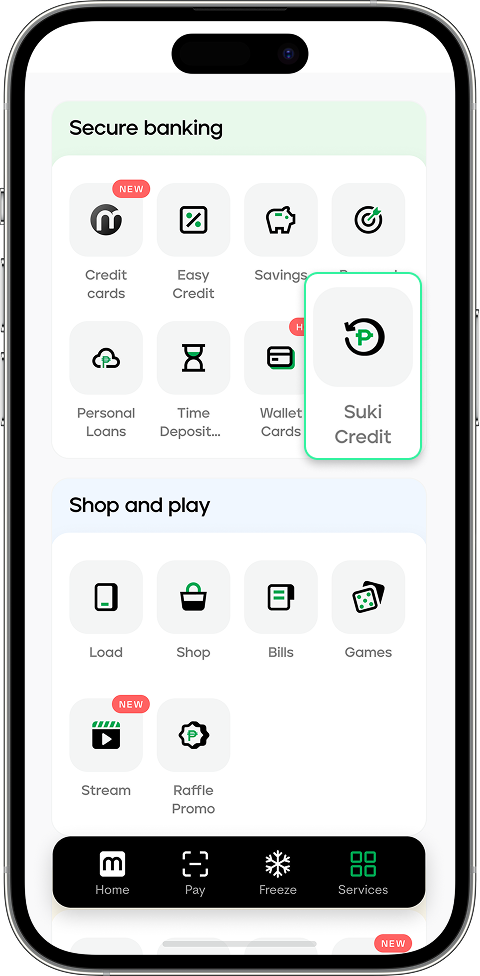
On the Maya app’s Wallet tab, tap on More, then Suki Credit

2

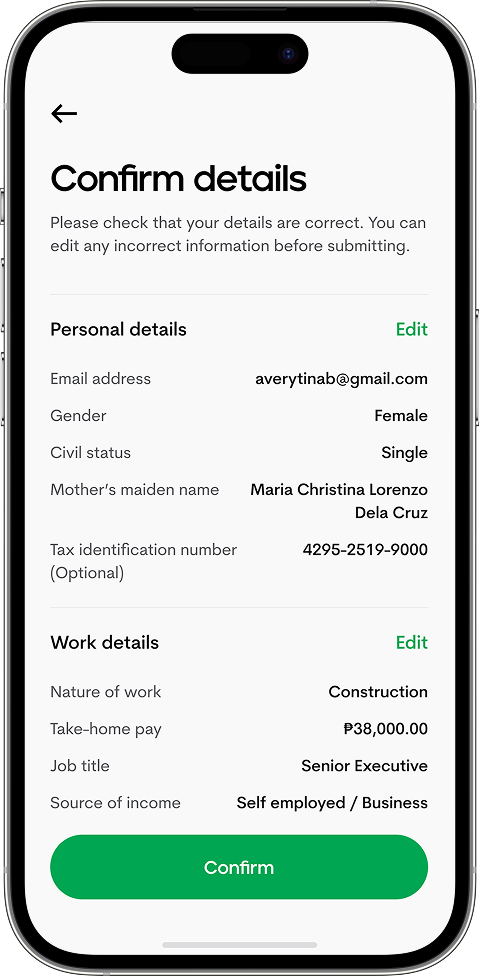
Review and confirm your details

3

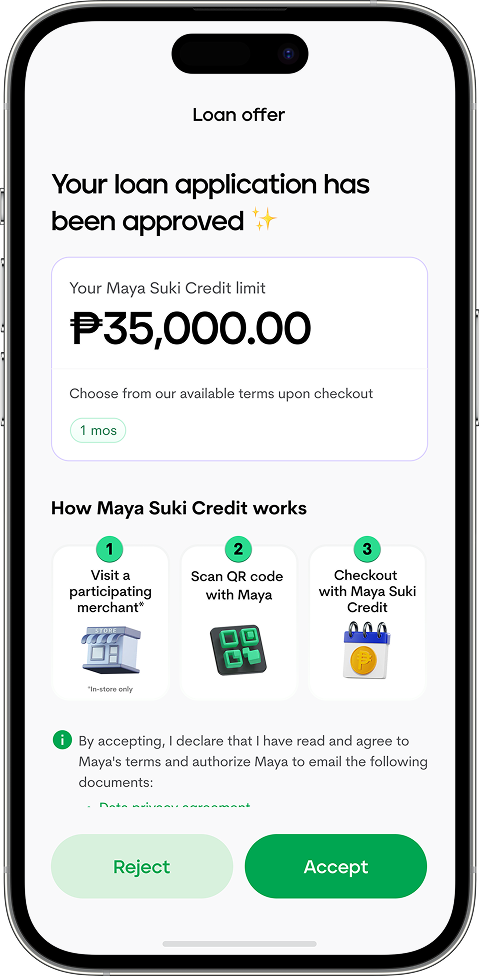
Accept and get your approved limit

1

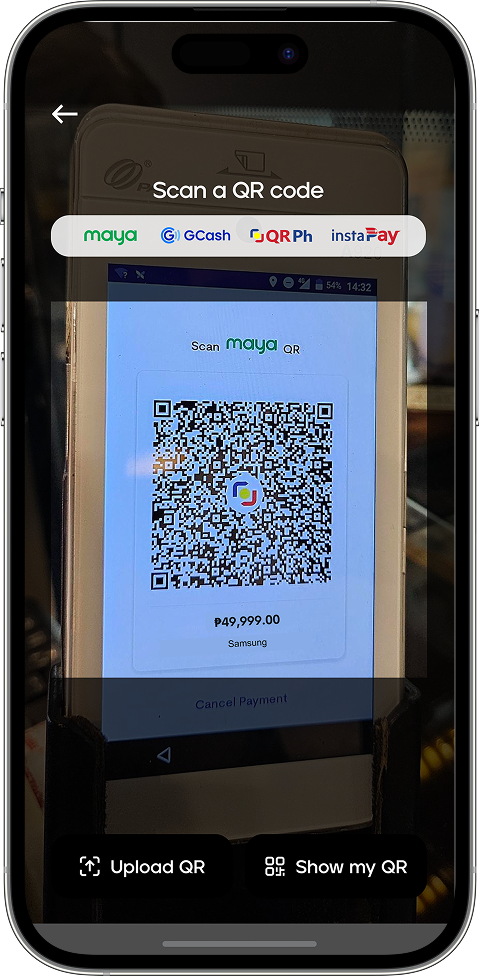
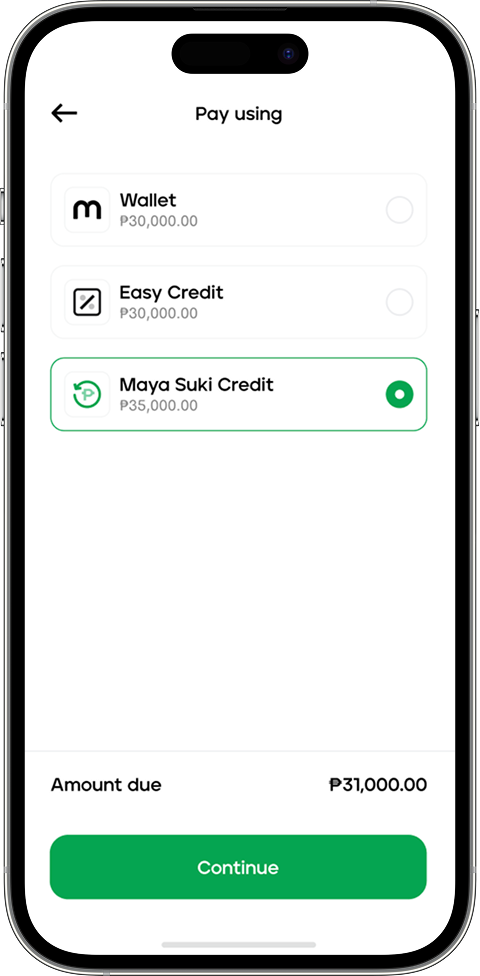
Scan the QRPh code at any participating Samsung store or reseller

2

Select Maya Suki Credit as your payment option

3

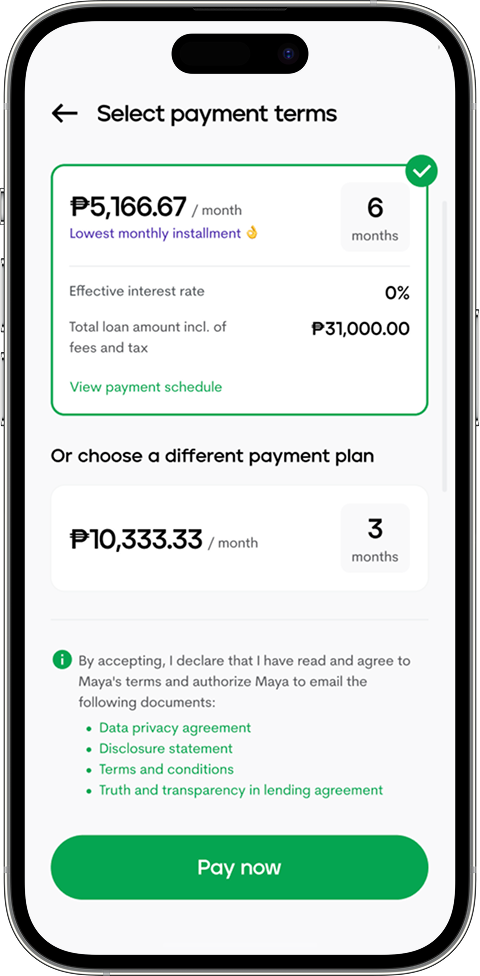
Select your payment terms and tap Pay now

4

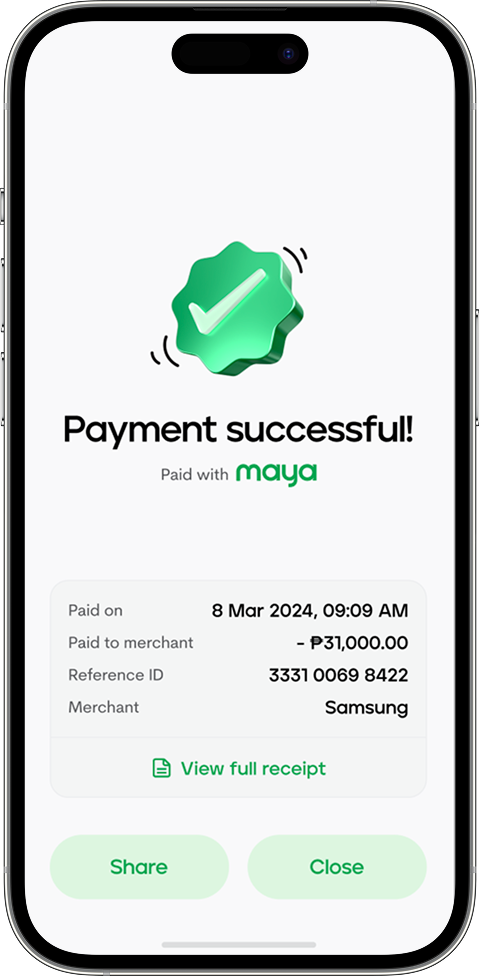
Review your payment receipt

1

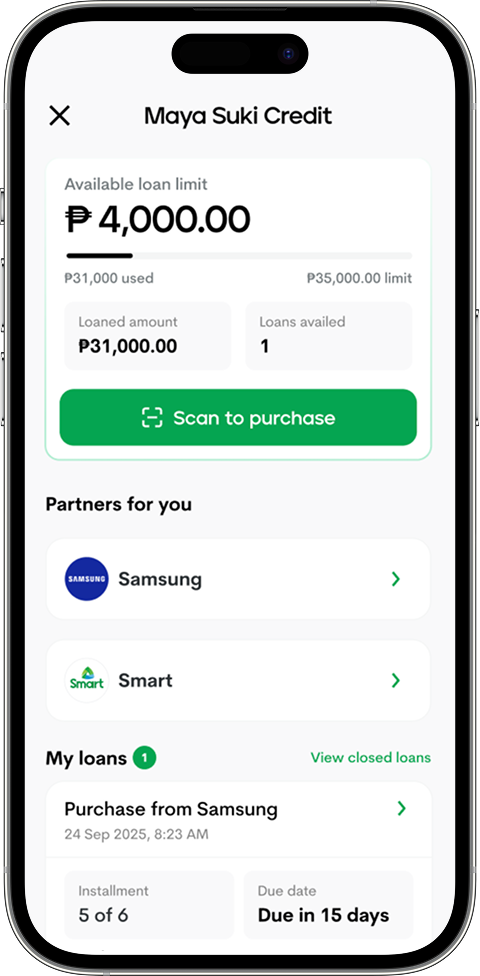
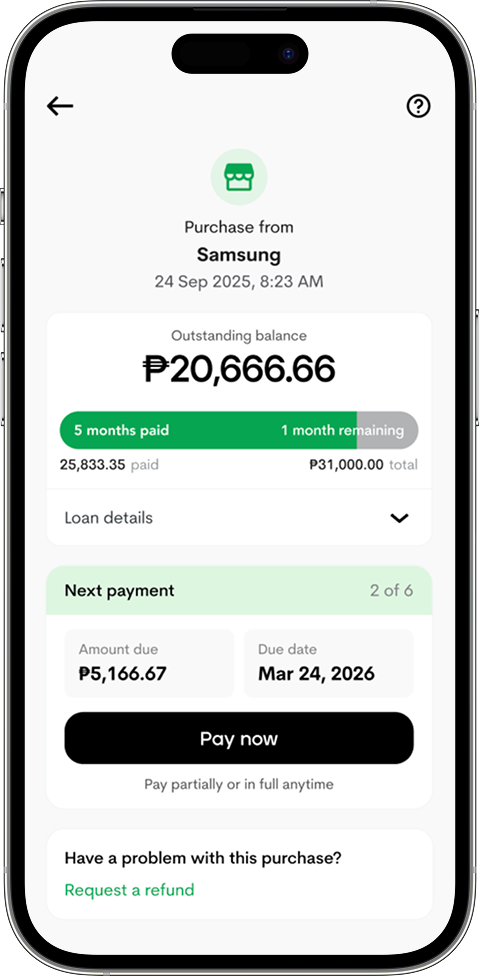
Go to Suki Credit to view your active loans

2

Tap Pay now to pay your amount due

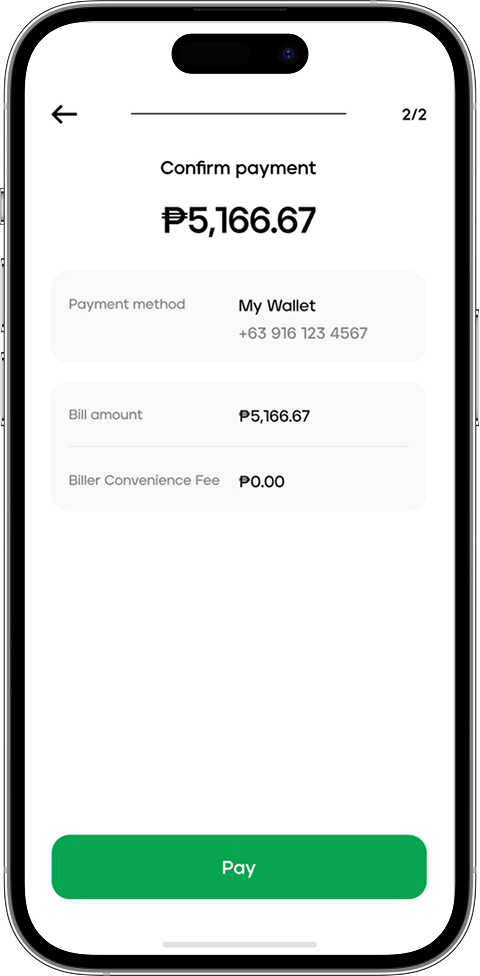
3

Confirm your payment

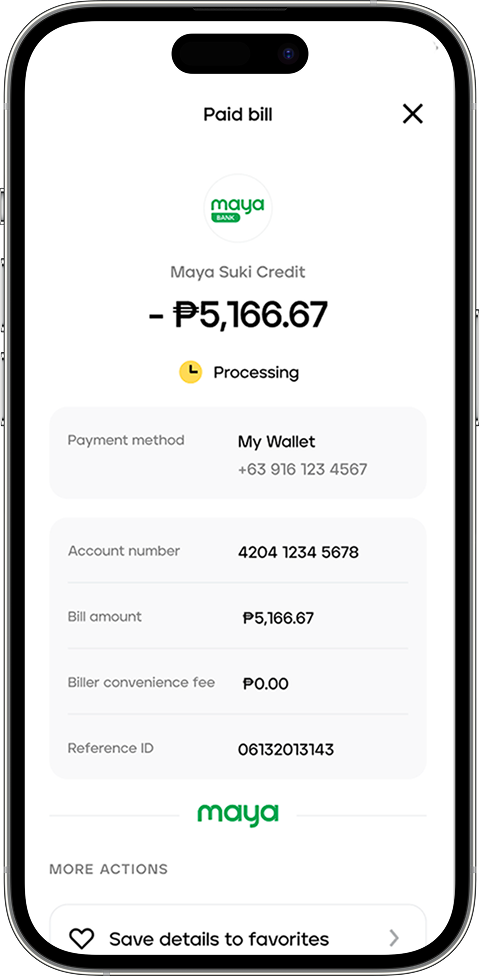
4

View your payment receipt

Note: This product/device loan is currently offered under Maya Suki Credit. Approval is subject to credit evaluation. More offers coming soon under Mini Payments.

Frequently Asked Questions

Need more answers?

Maya Suki Credit is an installment product that lets you pay for products with select partner merchants over a period of months, with no processing fees.

Maya will offer select users a special loan for the Samsung Galaxy A Series under Maya Suki Credit for a limited-time only. These product/device loans will transition to Mini Payments soon, with more partners and exclusive offers.

For the Maya Suki Credit and Samsung Galaxy A Series loan, users will have the option to pay in 3, 6, or 9 months with no processing fees and 0% interest.

Maya Suki Credit is currently only available and visible to select users, but we’ll notify you as soon as you become eligible.

Enjoy seamless installments by using Maya Suki Credit at participating stores—here is how to get started:

Step 1: Log in to Maya and go to Services
Step 2: Under Secure Banking, select Suki Credit
Step 3: Upon payment, scan the QR offered to you by the cashier
Step 4: Press 'Continue'
Step 5: View the installment offer
Step 6: Confirm offer by pressing 'Pay Now'
Step 7: Enter your One-Time PIN (OTP)*

Step 8: Wait for the SMS confirming your Maya Suki Credit transaction 
*Never share your OTP with anyone, including Maya representatives. If you encounter any suspicious transactions, contact us immediately at (+632) 8845-7788

Through the Maya Suki Credit and Samsung loan, customers can avail of loans from PHP 5,000 to PHP 35,000 on specific SKUs.

You can find details of your loans by selecting Maya Sukit Credit in the Maya app; this includes the merchant's name, purchase date, payment history, and late penalty computation

You can use Maya Suki Credit as many times as you want as long as it’s within your total loan limit and you have no delayed outstanding loans.