Restock now, bayad later with

Maya Suki Credit

main-kv-sukicredit

Easy to apply – no extra docs required 

Up to 250k in extra capital 

Pay up to 30 days 

Note: Maya Suki Credit is available to select suppliers for now. Approval is based on credit evaluation. T&Cs apply. 

Ano ang Maya Suki Credit?

Maya Suki Credit is an easy way to get up to ₱250k extra capital for your stocks in store. Every time na mag-oorder ka kay supplier, pwede mong magamit ang Maya Suki Credit instead of cash. Flexible ang payment terms ng up to 30 days at hassle-free pa without documents required.

With Maya Suki Credit, tuloy tuloy ang benta, tuloy tuloy ang kita.

How it works

1

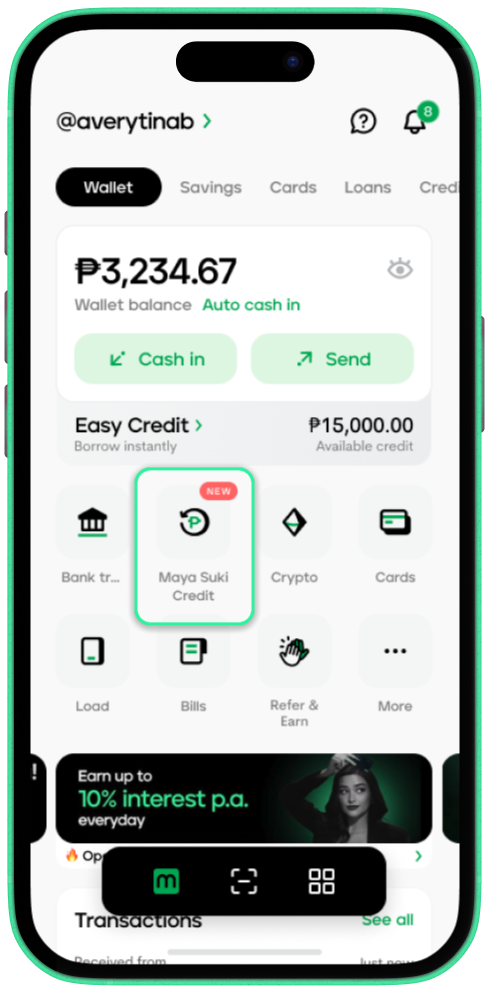
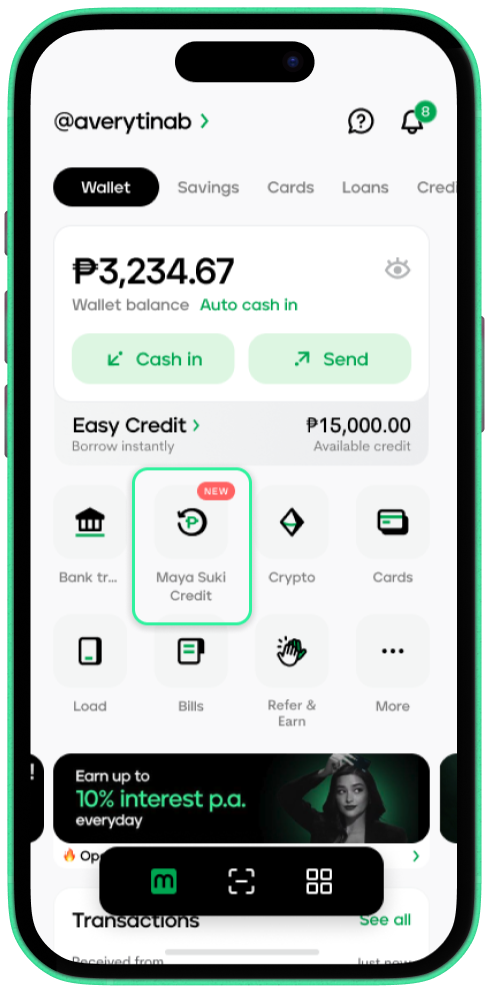
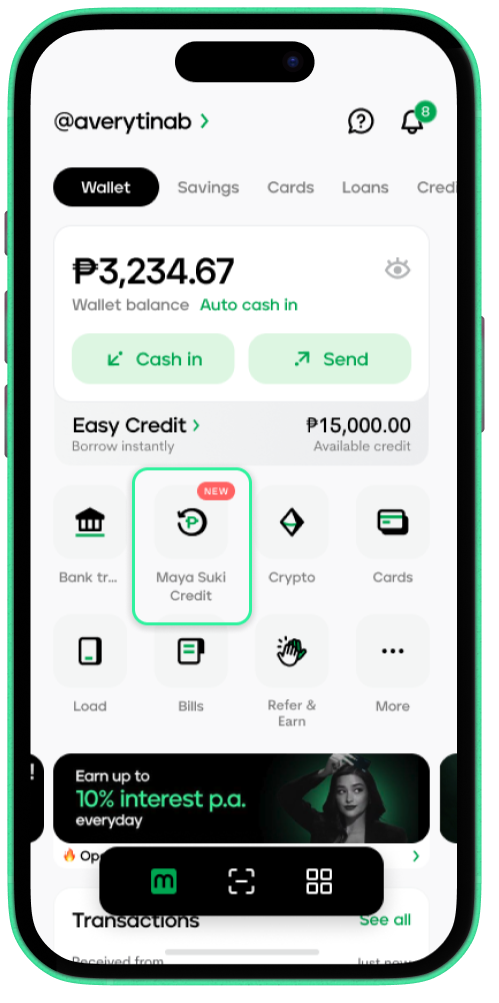
Tap Maya Suki Credit on the home screen

2

Enter your personal details and other requested information

3

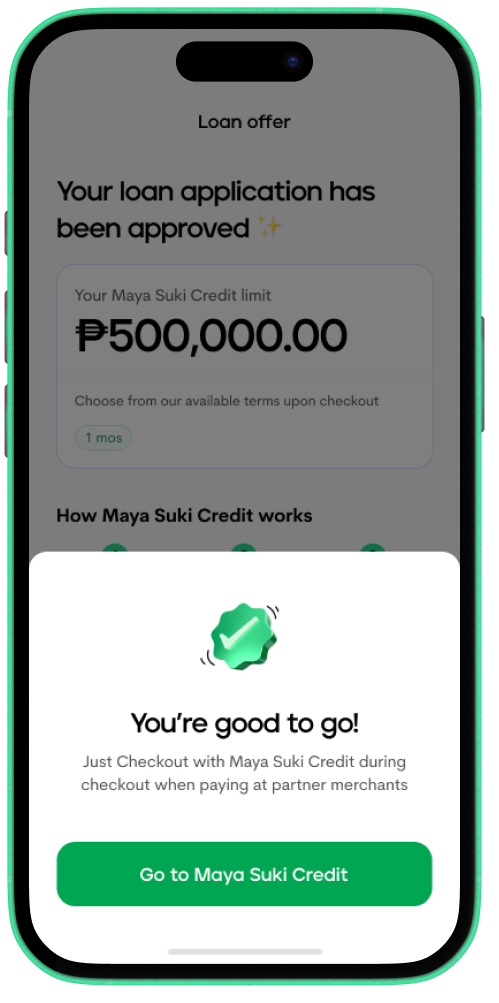
Accept your Suki Credit offer. Now you can start using your Suki Credit to pay your partner supplier.

1

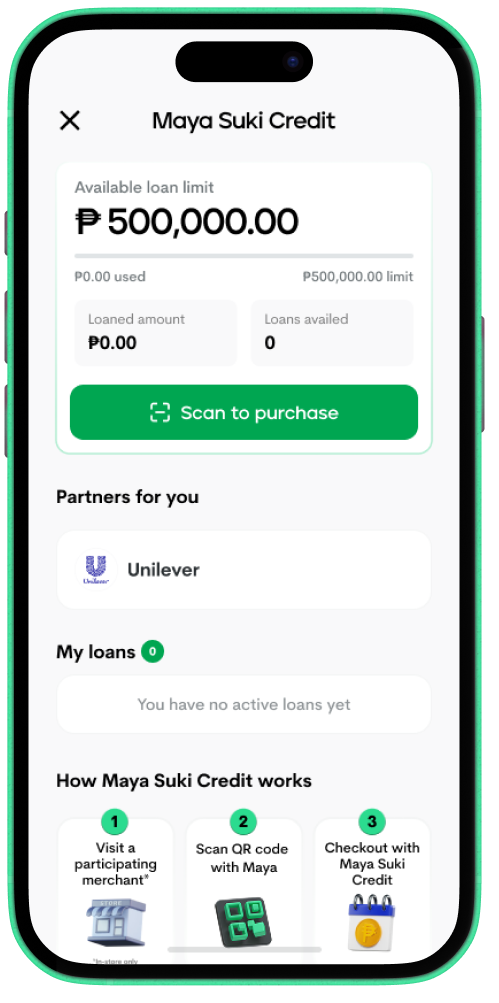
On the Maya app, go to Maya Suki Credit

2

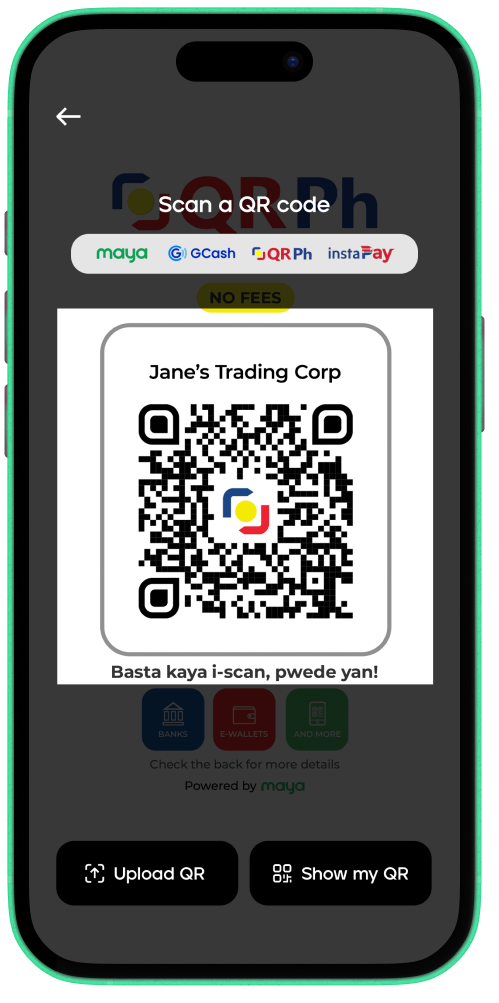
Tap Scan to purchase

Note: Maya Suki Credit is applicable to select suppliers for now

3

Scan the supplier’s QR code

4

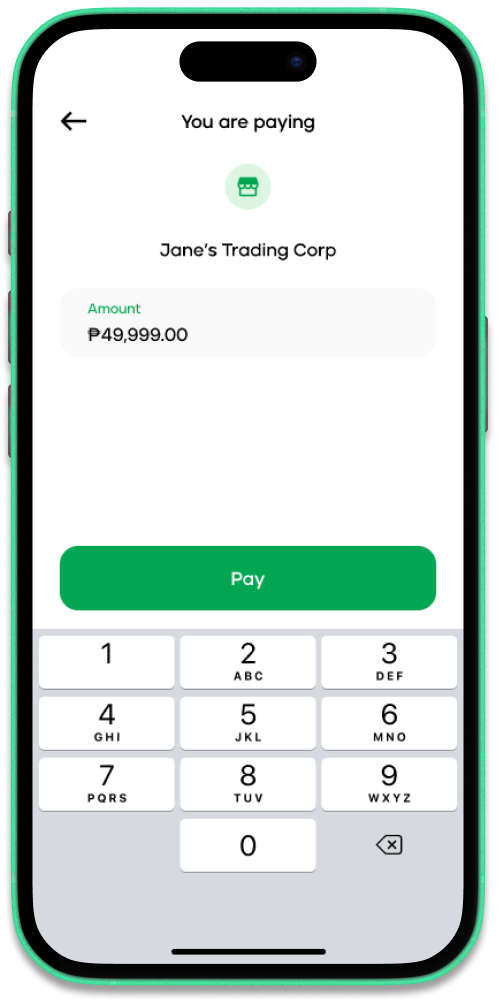
Tap Pay

5

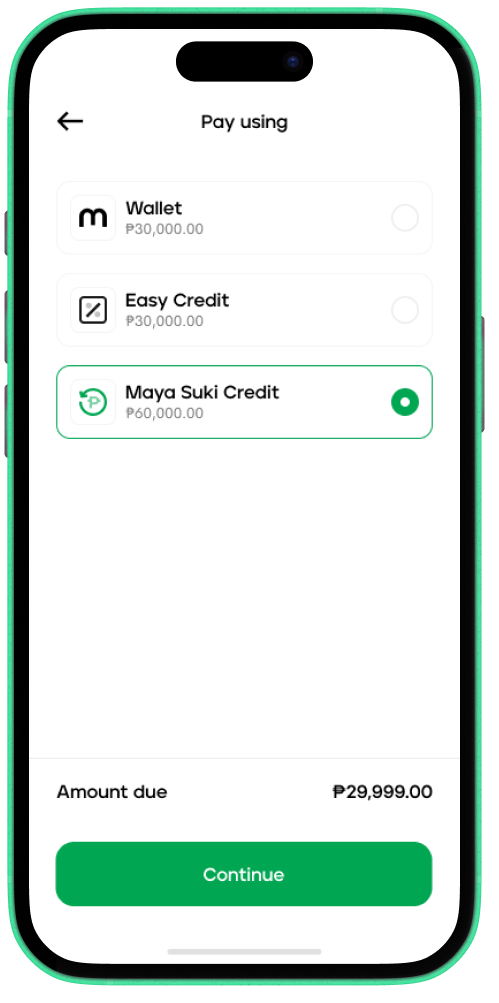
Choose Maya Suki Credit and confirm the payment

1

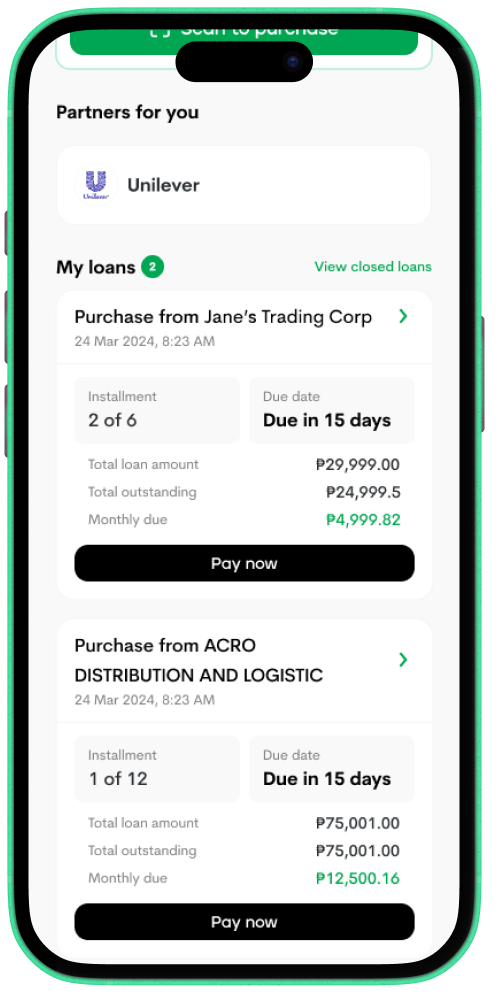
On the Maya app, tap Maya Suki Credit

2

Under My loans, select the loan and tap Pay Now

3

Under Next payment, tap Pay now

4

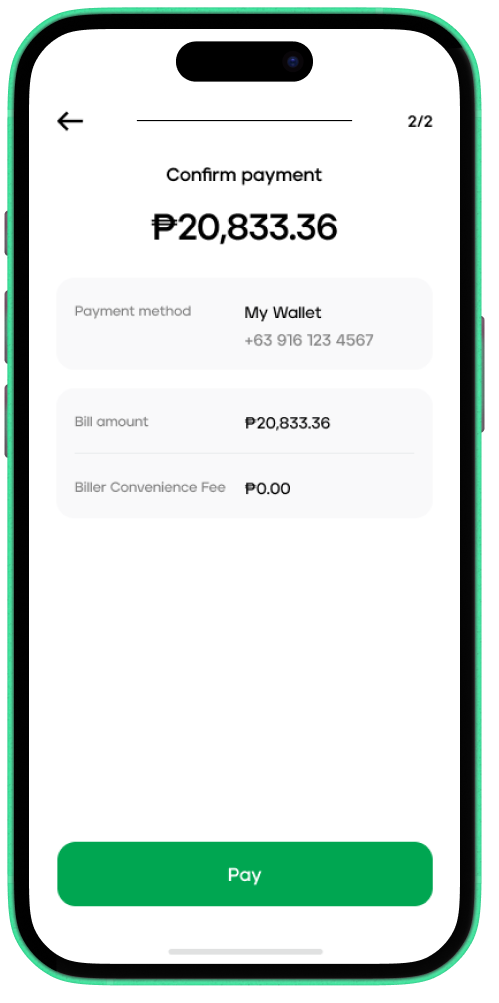
Review the payment details and tap Pay

Frequently Asked Questions

Need more answers?

After applying, just go to Maya Suki Credit on the home screen to check your application status.

Application Under Review

  • This just mean’s we’re still taking a look at your application! We’ll let you know as soon as there’s any update on its status. 

Application Approved

  • Congratulations! You have been approved for Maya Suki Credit. Just go to Maya Suki Credit to check your approved credit limit. 

Maya Suki Credit isn’t ready for you yet 

  • You may not be eligible for Maya Suki Credit at the moment. Continue using the Maya app and we’ll let you know once you’re eligible for Maya Suki Credit.

For concerns about your transactions, go to Maya Support Chat on the app. Here's how:

  1. Tap the Help Center icon on the upper right of the screen
  2. Scroll to the bottom then tap Chat with us
  3. You can ask Maya Support Chat to connect you to a representative or help you submit a ticket for your concern.

You will be charged the following fees per loan with Maya Suki Credit:

  • Interest Rate - 3% -5% (varies per customer)
  • Documentary Stamp Tax - ₱1.50 for every ₱200 loan
  • Penalty Fees (if applicable) - 0.17% calculated daily on overdue fees

You may pay your Maya Suki credit dues from your Maya app. Here’s how:

  1. Open Maya Suki Credit on your Maya app
  2. Look for your latest Maya Suki Credit loan
  3. Tap Pay Now

Note: Payments made through the Maya app are posted in real time.

Open Maya Suki Credit at the home screen. Your loans will be under the “My Loans” section inside the dashboard.